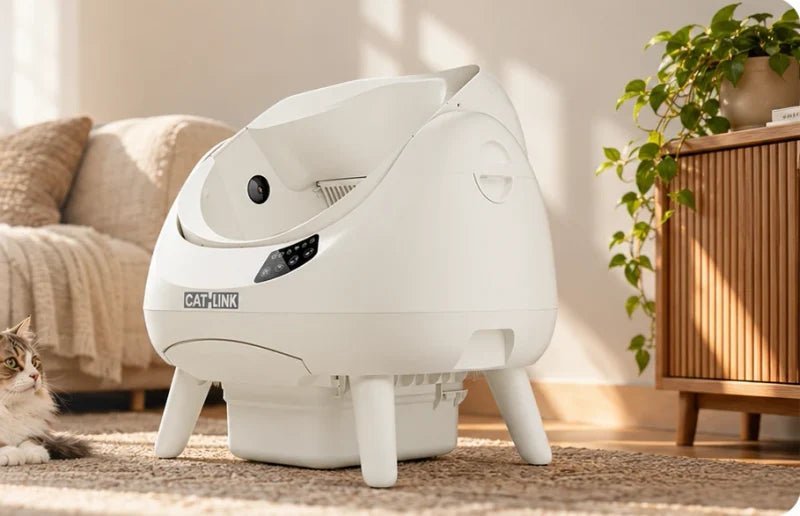
Self-cleaning
litter boxes

Find the right fit for your cats. Choose an entry style, then compare space, cleaning and how much you want to automate.

Find your model

4 models

Scoop Robot C07

Choose your configuration.

Shop now

Checking current options and price…

Open-X Pro

Choose your configuration.

Shop now

Checking current options and price…

Open-X

Choose your configuration.

Shop now

Checking current options and price…

Open-X Lite

Choose your configuration.

Shop now

Checking current options and price…

Clink Coins are estimated from the German reference price. Reward value is the euro equivalent of those coins. Redeem in steps of 100 Clink Coins for €1 off eligible future orders. Unused coins stay in your balance. See CATLINK Rewards

All in one app.

Food, water & litter. Together.

The CATLINK My Devices screen shows connected litter boxes, a feeder and water fountains
A cat approaches a CATLINK open-top litter box
Litter & weight
A cat sits beside a CATLINK automatic feeder
Feeding
A cat drinks from a CATLINK water fountain
Drinking

Before you choose

Check how the litter box will fit into your cat’s routine and your home.

A cat on a step looking into an open-top litter box An enclosed CATLINK Baymax with a cat at the entrance

Start with the opening

Open-top models leave the area above the litter bed clear. Enclosed models have a defined entry. Choose a shape your cat can enter and turn around in comfortably.

Open-X Pro beside a sofa, with room around the entrance and base

Measure the space

Check the outside dimensions, entry height and the space needed to pull the waste drawer out. Leave a clear route for your cat to approach.

Compare model sizes
The automatic litter refill unit on the CATLINK Scoop Robot C07

Choose how much to automate

Self-cleaning handles scooping. On models with automatic refill, a reservoir also tops up the litter. Check how often you need to empty the drawer and refill the reservoir.

Questions before you buy

Choosing a model

Which CATLINK litter box is right for my home?

Start with the opening and the space your cat needs to turn around. Compare Open-X and Open-X Pro for open-top designs, or look at Scoop Robot C07 if automatic litter top-ups matter to you. Use the table to compare drawer size, cat profiles and live view.

Compare models
Should I choose an open-top or enclosed litter box?

Open-top boxes leave space above the litter bed. Enclosed boxes have a defined entrance, so check its height and how much room your cat has to turn inside. Start with a shape your cat is comfortable using.

See the opening and fit guide
Which models fit larger cats?

Open-X Pro is rated for cats up to 15 kg and has a 43.6 × 44.8 cm opening. Check your cat’s size and turning room as well as its weight, and compare the entrance dimensions for each model.

See Open-X Pro dimensions
Can multiple cats use the same litter box?

Multiple cats can share a box if they’re comfortable using it. On models with individual profiles, the app can keep separate records. Similar weights or appearances can lead to a mix-up, so check which cat a visit was assigned to.

Compare multi-cat features

Setup & cat safety

Can I put the litter box in a cabinet or bathroom?

Use a dry indoor spot with a firm, level floor. Keep the entry clear and leave space to pull out the waste drawer and reach any refill lid. Check the dimensions and placement guidance for your exact model before using an enclosed space.

Check model placement guidance
When can a kitten use automatic cleaning?

Check your model’s minimum age and weight, along with any Kitten Mode instructions. Keep automatic cleaning switched off until your cat meets those requirements. Start a manual cycle only when all cats are clear of the box.

Find the manual for your model
How can I help my cat adjust to a new litter box?

Keep the familiar tray available and let your cat explore the new box at its own pace. Leave automatic cleaning off during the introduction and turn it on gradually once your cat is comfortable and meets the model’s requirements.

Read the Open-X Pro acclimation guidance

Litter & maintenance

What kind of litter should I use?

Choose clumping litter that your model supports. Check the granule size, compatible sieve and, where applicable, app setting. Keep the fill below the MAX line and follow the model manual for litter types to avoid.

Check litter compatibility by model
What cleaning and upkeep do I still need to do?

Top up litter as needed, empty the waste drawer and clean parts at the intervals in your manual. Follow its instructions for washing removable parts and keep electrical components dry.

Read the cleaning instructions
How often should I empty the waste drawer?

How quickly the drawer fills depends on how many cats use it, the litter and the model’s capacity. Check regularly and empty it sooner if waste or odour builds up.

Compare waste drawer capacities

App & visual care

Will automatic cleaning work without Wi‑Fi?

Open-X and Open-X Lite have a button to start a manual cycle while the unit has power. For automatic or scheduled cleaning during a Wi‑Fi outage, check your model’s manual. App controls and remote viewing need a connection.

Check controls and setup by model
Which models offer live view, and do I need a subscription?

Open-X Pro, Pro-X Ultra and Scoop Robot C07 offer live view. On Open-X Pro, live view and event snapshots are available without a subscription. Full video playback requires a cloud plan. Check the app for plans, prices and recording retention in your region.

Browse models with live view

All 246 litter box questions

Find answers about choosing, setting up and caring for a CATLINK litter box.

246 questions

  • What human care and backup plan does an automatic litter box still need while I am away?

    Litter boxes · Choosing & comparing

    Arrange for someone to check your cat, food, water and litter box in person while you are away. Ask them to check the litter level and waste drawer and keep a familiar backup tray available. A camera or a large waste drawer cannot replace those checks.

    See the Open-X Pro product guide
  • What physical and setup tasks remain for an owner with limited strength, mobility or digital confidence?

    Litter boxes · Choosing & comparing

    Try to picture the tasks you will do most often: topping up litter, pulling out a full drawer, carrying the waste and lifting the removable parts for washing. Compare the model’s dimensions and drawer position, and use its setup video to see which controls you can use without your phone.

    Find your model’s manual
  • Which CATLINK litter box is easier for a senior cat to enter?

    Litter boxes · Choosing & comparing

    Measure how high your cat can step comfortably and check that it can turn around once inside. An open top leaves room overhead. If the entrance is still too high, check whether your chosen CATLINK model has an optional compatible step.

    See the Open-X Pro product guide
  • What is the difference between CATLINK Open-X and Open-X Lite?

    Litter boxes · Choosing & comparing

    Open-X includes individual tracking for multiple cats. Open-X Lite tracks one cat by default and offers a multi-cat upgrade in the app. The two share the same dimensions and core cleaning functions. Check your chosen listing for colours, bundles and the current upgrade offer.

    See the Open-X Lite comparison
  • What does the Open-X Pro add compared with Open-X?

    Litter boxes · Choosing & comparing

    Open-X Pro adds live viewing, event snapshots and visual cues for multi-cat identification. Standard Open-X has no live view. On Open-X Pro, live viewing and event snapshots are available without a cloud plan, while full video playback requires one.

    See the Open-X Pro product guide
  • How do Baymax, Baymax Lite and Baymax Sakura differ?

    Litter boxes · Choosing & comparing

    Baymax and pink Baymax Sakura are enclosed options with individual multi-cat tracking. Baymax Lite is the simpler version with basic app tracking and an optional multi-cat upgrade. Check which models and colours are actually available in your market before ordering.

    See Baymax Sakura
  • How do Pro-X Ultra, Pro-X Luxury and Young compare?

    Litter boxes · Choosing & comparing

    Pro-X Ultra adds live viewing and two-way audio. Pro-X Luxury offers app records and automatic cleaning without live video. If you are considering Young, check the model’s manual for controls and connectivity, and confirm local stock and compatible spare parts.

    Compare CATLINK models
  • How does a CATLINK litter box control odour?

    Litter boxes · Use & maintenance

    A waste drawer separates used litter from the litter bed. Some models add a compatible deodoriser or carbon filter. Empty the drawer regularly and clean removable parts according to the model’s manual, especially if the smell persists between cycles.

    Find compatible accessories
  • What does a self-cleaning litter box cost to run over a year?

    Litter boxes · Use & maintenance

    Estimate annual cost from the litter and bags your household actually uses, plus any model-specific filters, deodoriser refills and optional subscriptions. Multiply a few weeks of recorded use by the local price per refill or pack, and keep the purchase price separate.

    Find compatible accessories
  • Which consumables and waste bags fit my model?

    Litter boxes · Use & maintenance

    Buy bags and other consumables listed for your exact model. The EU shop lists one waste-bag range for Open-X, Open-X Lite and C07, a Baymax range, and a Pro-X/Young range. Check the model list on each product page before buying filters, ramps or other parts.

    Find compatible accessories
  • How much litter scattering and floor cleaning remains, and which mechanism causes it?

    Litter boxes · Use & maintenance

    Some litter can still leave the box on paws or long fur or be kicked out during digging. A mat in the normal exit path can catch loose grains. Keep it in front of the entrance and clear of the unit’s feet and sensors.

    Find your model’s manual
  • How can I compare operating noise and disturbance under real home conditions?

    Litter boxes · Use & maintenance

    Noise varies with the model, litter, floor and room. Compare measurements only when the test distance and operating mode match. If overnight use matters, check the exact model for a quiet or pause setting and listen to a normal cycle in the proposed location.

    Find your model’s manual
  • How does the sifting mechanism separate clean litter from waste in this exact model?

    Litter boxes · Use & maintenance

    As the drum turns, the sifter lets loose, compatible litter fall back into the bed while clumps are directed into the waste drawer. Litter that does not clump properly or cannot pass through the sifter may stay behind or be carried into the drawer.

    See the Open-X Pro product guide
  • How much waste can this drawer hold, and how do stated mass, volume and usable bag capacity differ?

    Litter boxes · Use & maintenance

    The stated litre figure is the drawer’s volume. The amount you can use varies with the bag fit and the size and shape of clumps. Open-X Pro lists 12 L and C07 lists 15 L. Check the drawer regularly and empty it before waste interferes with normal operation.

    Compare CATLINK models
  • What should I check when dust appears around the box or during a cleaning cycle?

    Litter boxes · Use & maintenance

    Check whether dust comes from pouring the litter, digging or the cleaning cycle. Use a compatible litter and the correct screen, stay within the fill line and keep the surrounding area and accessible air paths clear as described in your model’s manual.

    Find your model’s manual
  • What fragrance-free odour-control options are documented for this model?

    Litter boxes · Use & maintenance

    Start with regular emptying, cleaning and a compatible unscented litter. Check the label of any deodoriser before buying it. Carbon, gel and other odour-control parts vary by model, so match replacements to your model and fragrance preferences.

    Find compatible accessories
  • Which documented materials, coatings and cleaning products apply to this model?

    Litter boxes · Use & maintenance

    Unplug the unit before taking it apart. The Open-X guide lists the globe, waste drawer, filter and deodoriser box as hand-washable. Use the manual for your model, dry washable parts completely and keep the base, motor and any cameras dry.

    See the Open-X product guide
  • What should I record if clumps are not separated into the waste compartment?

    Litter boxes · Use & maintenance

    Record the litter type, screen, fill level, cycle mode and what remains in the globe. Check whether waste had enough time to clump and whether the correct screen is fitted. If the issue recurs, send support photos and the model name.

    Contact CATLINK EU support
  • What should I check when urine or litter escapes the unit?

    Litter boxes · Use & maintenance

    Check where the liquid or litter first collects, how the liner is seated and whether the machine is on a level floor. Photograph the liner, seams and surrounding area. Stop using the unit and contact support if liquid has reached the base or electrical parts.

    Contact CATLINK EU support
  • Can an automatic litter box reduce contact with waste, and what can still leave paws dirty?

    Litter boxes · Use & maintenance

    Automatic sifting can reduce how long clumps stay in the litter bed. Paws may still pick up damp litter or loose grains before a cycle runs. Check the bed for residue and clean the washable parts as directed for your model.

    See the Open-X Pro product guide
  • What should I check when an approved automatic litter-refill accessory never dispenses or stops refilling?

    Litter boxes · Use & maintenance

    For C07, check the 4 L reservoir, the supported litter type and whether the refill unit is seated as the manual shows. If litter does not dispense, note the app or device message and contact support. Keep a usable litter tray available while you investigate.

    See the C07 product guide
  • What information is needed when an automatic replenisher dispenses much more litter or empties much faster than the owner expects?

    Litter boxes · Use & maintenance

    Record the type of litter, how much you filled, the number of cats, how quickly the level changed and when you noticed it. Include the model, photos of the refill assembly and any app messages so support can distinguish litter use from unusual dispensing.

    Contact CATLINK EU support
  • Which documented safeguards stop or reverse a cycle, and under what limits and maintenance conditions do they work?

    Litter boxes · Setup & safety

    On Open-X Pro, approach and weight sensing can pause a cycle in documented situations. Keep sensing areas clear and follow the floor, setup and kitten limits in your model manual. Stop using the unit and contact support if a cycle behaves unexpectedly.

    See the Open-X Pro product guide
  • What happens during a power cut, and what approved backup power works for this model?

    Litter boxes · Setup & safety

    A power cut stops powered cleaning. Keep a normal tray available and check the model’s restart instructions before resuming use. C07 can continue basic cleaning with power but without internet. Backup power and what happens after power returns depend on the exact model and approved setup.

    See the C07 product guide
  • How does a cycle pause and resume when curious cats repeatedly approach it?

    Litter boxes · Setup & safety

    Approach and weight sensing can pause cleaning on supported models. The exact restart behaviour varies by model, mode and trigger. If repeated approaches prevent the box from finishing, consult the model guide and check that your cats still have access to a usable tray.

    See the Open-X Pro product guide
  • What information and immediate support are needed if a cycle reportedly fails to stop with a cat inside?

    Litter boxes · Setup & safety

    Stop the unit if you can do so safely, switch off power and keep your cat out of the unit. Use a backup tray and contact CATLINK support before using the device again. Share the model, serial number, cycle mode, time and any warning. Seek veterinary help promptly if your cat may be injured.

    Contact CATLINK EU support
  • How can I prevent a cat from entering or becoming trapped in the waste drawer, and what should I do after a reported access incident?

    Litter boxes · Setup & safety

    Keep the waste drawer fitted and closed as shown in your model’s manual. After an access incident, stop using the unit, keep a backup tray available and contact CATLINK support. Share the model and the drawer position when it happened. If your cat may be injured, seek veterinary care.

    Contact CATLINK EU support
  • How do I complete the first installation and onboarding for this exact model?

    Litter boxes · Setup & safety

    Identify the exact model, then use its setup guide to remove transport materials and fit the waste bag, sifter and other included parts. Choose a dry, firm and level location, leave working space around the box and follow the model’s instructions for the first cycle.

    Find your model’s manual
  • What should I check after cleaning and reassembling the unit?

    Litter boxes · Setup & safety

    Check that each washable part is fully dry and that the globe, sifter, waste drawer and bag are seated as shown in the manual. Confirm that no parts or bag edges block the moving areas before reconnecting power.

    Find your model’s manual
  • What should I send support when cleaning stops or the unit will not run?

    Litter boxes · Setup & safety

    Send the model and serial number, the light or app message, the point in the cycle where it stopped and the type and level of litter. Include the steps you have already tried and a short video if you can record it without restarting an unsafe unit.

    Contact CATLINK EU support
  • What information helps investigate repeated safety or sensor alerts?

    Litter boxes · Setup & safety

    Record the exact warning, model, cycle stage and whether it repeats in the same position. Note the floor, any recent cleaning or reassembly and any visible obstruction. Send this to support without testing the sensors with a pet in or near the device.

    Contact CATLINK EU support
  • What should I record when a light or error message appears?

    Litter boxes · Setup & safety

    Write down the model, the light colour and whether it is solid or flashing, plus the app’s exact wording if available. For example, on Open-X a flashing white light indicates low litter, whereas red can have multiple causes. Use the guide for your model.

    See the Open-X product guide
  • How can I check replacement-part availability for an older model?

    Litter boxes · Setup & safety

    Search the accessories collection using your machine’s full model name. If a part is listed only for a newer or similarly named model, give support your serial number and a photo of the original part before ordering.

    Find compatible accessories
  • How can I check whether my model is suitable for a balcony or covered outdoor space?

    Litter boxes · Setup & safety

    Check the operating environment in your model manual. Open-X Pro and C07 are specified for a dry indoor location on a firm, level floor. A roof over a balcony does not necessarily keep out moisture, temperature swings or wind-blown litter.

    Find your model’s manual
  • How should I prepare, pack and move this litter box without unapproved disassembly?

    Litter boxes · Setup & safety

    Power off and unplug the unit, empty the litter and waste drawer and pack the removable parts as directed by your model’s manual. Secure moving parts as the manufacturer specifies, and check setup and floor stability again before using the unit at the new location.

    Find your model’s manual
  • How should I interpret weight records and multi-cat identification?

    Litter boxes · App, Wi-Fi & privacy

    Open-X Pro supports separate profiles and litter-box records. It primarily uses weight, with coat and facial cues helping to distinguish cats. Similar cats can be confused, so check which cat an event was assigned to and correct it when needed. Open-X Lite starts with single-cat tracking.

    See Open-X Pro multi-cat tracking
  • Which CATLINK litter boxes refill litter automatically?

    Litter boxes · App, Wi-Fi & privacy

    Scoop Robot C07 automatically tops up litter from its 4 L refill hopper. Open-X Pro is topped up by hand through its open top. Check the model page for compatible litter and the fill instructions before adding any.

    See Scoop Robot C07’s refill system
  • How can I reconnect my litter box after changing Wi-Fi?

    Litter boxes · App, Wi-Fi & privacy

    Use the pairing instructions for your model to connect it to the new network. Open-X, Open-X Lite and Open-X Pro support 2.4 GHz and 5 GHz Wi-Fi. Have the new network password ready and follow the app and device prompts for that model.

    Find your model’s pairing instructions
  • Why have cat-visit notifications stopped appearing?

    Litter boxes · App, Wi-Fi & privacy

    Check that your phone allows CATLINK notifications, the litter box appears online, and the event type is enabled where your model provides that option. If the visit appears in the event list but produces no alert, send support the event time, your phone and app versions, and the litter-box model.

    Get help with CATLINK notifications
  • Which events trigger notifications, when are they delivered, and which can be configured?

    Litter boxes · App, Wi-Fi & privacy

    Open-X Pro lists a full waste-drawer notification and consumable reminders. Event types and which alerts you can switch off depend on the model and app version. Check the device’s notification settings and your phone’s CATLINK notification permissions.

    See Open-X Pro’s app alerts
  • How can I check cleaning modes and delay settings for my exact model?

    Litter boxes · App, Wi-Fi & privacy

    Automatic mode starts a cycle after a detected visit according to your model’s settings. Scheduled mode follows the times you set. Manual mode starts a cycle when you request it. Where your model offers a delay, it is the time between the visit and the automatic cycle. Follow the manual for each mode’s protections and restrictions.

    See Open-X Pro’s three cleaning modes
  • What can visit and weight records tell my vet, and what can they not diagnose?

    Litter boxes · App, Wi-Fi & privacy

    If your model tracks weight and visits, bring a few dated records or screenshots to show how your cat’s routine has changed. Check that each record is assigned to the right cat. Your vet can decide how to interpret the pattern alongside their own measurements and examination.

    See Open-X Pro’s cat records
  • Which connection and account services enable local and remote status viewing?

    Litter boxes · App, Wi-Fi & privacy

    For remote access, keep the device powered and online at home and sign in to the CATLINK app on an internet-connected phone with access to that device. Open-X Pro supports remote live view. Its full recording playback requires a cloud subscription.

    See Open-X Pro remote features
  • How can I check the child-lock status and the correct button controls for my model?

    Litter boxes · App, Wi-Fi & privacy

    A child lock helps prevent accidental presses on the controls. Standard Open-X lists a child lock. Use the manual for your exact model to find the lock control and check how its status is shown.

    Find your model’s control guide
  • Does a CATLINK self-cleaning litter box need a drain or plumbing?

    Litter boxes · Choosing & comparing

    No plumbing is needed for models like Open-X Pro or C07. Waste collects in a removable drawer that you empty yourself. Set the unit on a dry, level indoor floor near a suitable power outlet and allow room to pull the drawer out.

    See the C07 product guide
  • Should I remove the Open-X sifter separately when deep-cleaning the globe?

    Litter boxes · Use & maintenance

    The standard Open-X instructions list the globe and sifter as separately hand-washable parts. Unplug the unit and follow its disassembly order. Let both parts dry completely before fitting the sifter and globe back into place.

    See the Open-X product guide
  • Do the Open-X dimensions cover operating height, clearances and shipping-box size?

    Litter boxes · Choosing & comparing

    Body size, entry size and shipping-box dimensions measure different things. Use the Open-X product page and your model’s manual to tell them apart. Leave additional room to enter, remove the drawer and wash parts. Ask support for any operating clearance that is missing from the drawing.

    See the Open-X product guide
  • What should I measure for a Maine Coon beyond the litter box weight limit?

    Litter boxes · Fit & compatibility

    Measure the entrance height and usable opening against your cat’s body and mobility. Check that it can step in, turn, squat and leave comfortably with room around its tail. Open-X Pro lists a 43.6 × 44.8 cm opening, with 15 kg as a reference maximum.

    See the Open-X Pro product guide
  • Are a camera, pet recognition and auto-refill worth paying for if I mainly want less scooping?

    Litter boxes · Choosing & comparing

    If scooping is your main concern, start with fit, compatible litter and the ease of emptying and washing the box. A camera helps with remote checks, individual recognition helps separate records for multiple cats and automatic refill reduces manual top-ups on supported models.

    Compare CATLINK models
  • My cat explores the new box but only toilets in the old one. When is it ready to switch?

    Litter boxes · Setup & safety

    Keep the familiar tray available. Let your cat explore at its own pace, and introduce automatic cleaning gradually once it is comfortably and repeatedly using the new box. If it goes back to the old tray, give it more time and avoid forcing it into the new one.

    See the Open-X Pro product guide
  • Should I take a discount on an older CATLINK model or buy one with easier-to-find supplies?

    Litter boxes · Choosing & comparing

    Check that bags, the correct sifter and other parts you expect to replace are currently sold for the older model. Compare that cost and support availability with the upfront discount. A similarly named part may not fit another generation.

    Find compatible accessories
  • Is the supported litter depth enough for a cat that digs deeply?

    Litter boxes · Use & maintenance

    Follow the fill marks in the exact model rather than adding extra litter for a cat that digs. Consider how much usable litter area and room to turn your cat has at that fill level. Keep the old tray available while checking whether the new box suits it.

    Find your model’s manual
  • How should I compare test-condition claims with a week of use by a large cat?

    Litter boxes · Orders, delivery & returns

    Compare the published test with your own cat’s size, visit frequency, litter type and clump size. In the first week, check the actual drawer filling and how much litter you add. On C07, the up-to-20-day figure is a tested maximum under defined conditions.

    See the C07 product guide
  • How can I set up the litter box in a rental without drilling holes?

    Litter boxes · Setup & safety

    Place the box on a firm, dry and level floor near an outlet. Route the cable where it cannot be pulled, pinched or tripped over. Put any mat in the cat’s exit path without pressing under the unit, and leave enough space to remove the waste drawer.

    Find your model’s manual
  • My cat explores the CATLINK box but still toilets in the old tray. How can I help it switch?

    Litter boxes · Setup & safety

    Keep the old tray available and let your cat explore without being put into the machine. Wait for repeated, comfortable use before introducing automatic cleaning gradually, using the mode options in your exact model’s guide.

    See the Open-X Pro product guide
  • Should I change the litter and the litter box at the same time?

    Litter boxes · Setup & safety

    Change one thing at a time when practical. If your current litter is compatible with the new machine and sifter, keeping it can make the transition more familiar. If it is incompatible, keep the familiar litter in the old tray while introducing the new setup gradually.

    See the Open-X Pro product guide
  • How can I stop one cat from blocking the litter box exit for another?

    Litter boxes · Fit & compatibility

    Leave a clear approach and exit and avoid placing the only litter box where another cat can guard the route. Keep an alternative tray in a separate, easily reached location and make sure both cats are actually using a tray.

    Find your model’s manual
  • How can I reduce tracked litter when a long-haired cat uses the box?

    Litter boxes · Fit & compatibility

    Place the mat just outside the entrance in the direction your cat normally walks. Leave the machine’s feet on the firm floor so the mat does not affect stability or weighing. Check other exit routes for any places the cat jumps over the mat.

    Find your model’s manual
  • What should a once-a-day cat sitter check on the litter box in person?

    Litter boxes · Fit & compatibility

    Ask the sitter to check that the cat is eating, drinking and using a tray. They should check the litter level, empty the waste drawer as needed, look for warning lights and confirm that a normal backup tray is available.

    See the Open-X Pro product guide
  • Can I use a weight measurement instead of the fill line to refill the box?

    Litter boxes · Use & maintenance

    Follow the fill marks in the manual and on the globe. Litter of the same weight can take up different amounts of space depending on its material and granule size. A scale can help you track use, but it does not replace the fill line.

    See the Open-X Pro product guide
  • How can I empty old litter without spilling it into the base or motor area?

    Litter boxes · Use & maintenance

    On Open-X, empty the waste drawer first, then use the documented Empty function to direct old litter into the drawer. Follow the procedure for your exact model, keep litter out of the base and unplug the machine before disassembly or cleaning.

    See the Open-X product guide
  • How can I tell the washed drum is completely dry before reinstalling it?

    Litter boxes · Choosing & comparing

    Check the seams, liner edges and any recessed or low spots for moisture. Let the removable parts air-dry completely before putting them back, and keep the base, camera and electrical components dry. Drying time depends on the room and the part.

    See the Open-X Pro product guide
  • Can I put a removable litter box liner in the dishwasher?

    Litter boxes · Choosing & comparing

    Use the wash method stated in your model’s manual. Open-X lists its compatible washable parts for hand washing. A removable liner should only go in a dishwasher if its instructions explicitly allow it.

    See the Open-X product guide
  • How should I clean spilled litter beneath the box without affecting its weight readings?

    Litter boxes · Choosing & comparing

    Switch off and unplug the box before moving it to clean underneath. Clear the floor, check that the feet are clean and return the unit to a firm, level surface with all feet supported. Follow the model guide for any checks after moving it.

    Find your model’s manual
  • How can I keep a usable litter tray available while the main drum is drying?

    Litter boxes · Choosing & comparing

    Set out a familiar tray before taking the machine apart. Leave it in a location your cat can reach easily until the drum is fully dry, correctly reinstalled and ready to use again.

    See the Open-X Pro product guide
  • What can I do if a new bag bulges and stops the drawer from closing?

    Litter boxes · Use & maintenance

    With the unit stopped, pull the drawer out and refit the correct bag flat around its mounting points. Keep the edges clear of the housing. Do not force the drawer shut. Contact support if it still will not close.

    Find compatible accessories
  • My litter box rocks after I move it onto a different floor. What should I check?

    Litter boxes · Troubleshooting & repairs

    Move the box to a firm, level surface and check that each foot rests evenly. Clear loose litter, mat edges or objects from underneath. If it still rocks or a foot is damaged, stop using it until support can check the assembly.

    Find your model’s manual
  • Why are weight readings inconsistent after I put a litter mat under the unit?

    Litter boxes · Troubleshooting & repairs

    A mat under the unit can change how its feet are supported. Put the machine back on a clean, firm and level floor and place the mat in front of the entrance. Check the manual for any calibration steps after changing its position.

    Find your model’s manual
  • Can I lubricate a waste drawer that has become difficult to slide?

    Litter boxes · Troubleshooting & repairs

    Remove loose litter and check whether the bag or a damaged part is blocking the drawer. Only use a lubricant if the model’s manual specifies the product and where to apply it. Contact support if the drawer still does not move smoothly.

    Contact CATLINK EU support
  • How should I report a burning smell or a hot power cord from the litter box?

    Litter boxes · Troubleshooting & repairs

    Stop using the litter box and disconnect power if it is safe to do so. Do not switch it back on to reproduce the fault. When contacting support, provide the model and serial number, when the smell or heat started and any visible damage you can document safely.

    Contact CATLINK EU support
  • What should I do if the drum stops away from its normal entry position after a cycle?

    Litter boxes · Troubleshooting & repairs

    Keep your cat out of the box and set out a backup tray. Record where the drum stopped, the light pattern and the app message. Follow the exact model’s recovery instructions or contact support before restarting it if the cause is unclear.

    Contact CATLINK EU support
  • How should I report scraping that happens at only one point in each cleaning cycle?

    Litter boxes · Troubleshooting & repairs

    Tell support whether it happens every cycle, where the drum is when it occurs, the litter type and fill level and whether the unit was recently moved or reassembled. If the sound is new or the drum catches, stop using it until it is checked.

    Contact CATLINK EU support
  • Why does first-time pairing fail on my combined 2.4 and 5 GHz Wi-Fi network?

    Litter boxes · App, Wi-Fi & privacy

    Check which bands your model supports. Open-X, Open-X Lite and Open-X Pro support both 2.4 GHz and 5 GHz. During pairing, use a supported network close to the router, check the password and allow the app’s pairing permissions. If your router combines both bands and setup still fails, follow the model guide before changing router settings.

    Open your model’s pairing guide
  • Why can’t my phone find the litter box on a guest Wi-Fi network?

    Litter boxes · App, Wi-Fi & privacy

    A guest network can let your phone go online while keeping it separate from other devices on the network. Open-X also requires a network that does not need a second login in a browser. Use the supported home network described in the model’s guide for pairing.

    Check Open-X Wi-Fi requirements
  • Why does Bluetooth see the litter box when the CATLINK app cannot find it?

    Litter boxes · App, Wi-Fi & privacy

    Seeing a device in the phone’s Bluetooth list is one part of discovery. Open CATLINK and check the permissions requested for setup, such as Bluetooth or nearby devices and local network access. Then follow the pairing prompts for your model.

    See which permissions CATLINK uses
  • Can I assign an unrecognised visit to a specific cat in the CATLINK app?

    Litter boxes · App, Wi-Fi & privacy

    On Open-X Pro, review the record and correct which cat it was assigned to when needed. The model relies primarily on weight, with coat and facial cues to help. The controls for editing an event vary by model and app version.

    See Open-X Pro multi-cat features
  • Can I disable live video while keeping cleaning and weight records?

    Litter boxes · App, Wi-Fi & privacy

    Open-X Pro has a dedicated camera control and Pro-X Ultra provides camera and microphone off controls. Follow your model’s instructions, then check in the app which cleaning and weight records are still available with the camera disabled.

    See Open-X Pro camera controls
  • Can I download previous video clips after my subscription expires?

    Litter boxes · App, Wi-Fi & privacy

    Check the retention and export rules for your cloud plan in the CATLINK app. Whether an older clip is still available depends on the plan, the expiry terms and its rolling history. If a clip is important, check whether it can be saved while you still have access.

    See how video retention is handled
  • Why does a visit have a snapshot but no video clip?

    Litter boxes · App, Wi-Fi & privacy

    On Open-X Pro, an event snapshot can appear without a cloud subscription. Full playback needs a cloud plan. If you already have one, check that the event falls within the plan’s recording history and that the device was online at the time.

    Compare event snapshots and full playback
  • Can I share a fault recording with support if it shows my pet and part of my home?

    Litter boxes · App, Wi-Fi & privacy

    Keep only the short part that shows the fault. Crop out unrelated areas or people, and remove any unnecessary audio or personal details. Send the clip through the official support channel with the model and time of the fault.

    Contact CATLINK EU privately
  • When should I contact support about a crack at the edge of the litter box?

    Litter boxes · Troubleshooting & repairs

    Contact support if a crack is growing, sharp, leaking, or affecting how the liner or a moving part is held. Send photos and the model and serial number. Keep a backup tray available and stop using the box if the damage affects safe use.

    Contact CATLINK EU support
  • Can I ship the litter box for repair without its original packaging?

    Litter boxes · Troubleshooting & repairs

    Ask CATLINK support for return authorisation and packing instructions before sending it. Tell them you no longer have the original packaging so they can confirm the acceptable alternative and how to secure the removable parts.

    Read the warranty policy
  • What does each finish look like in real rooms, and how visible are dust and marks?

    Litter boxes · Choosing & comparing

    Open the relevant product to check its specifications, compatible parts and current availability for your market.

    Browse litter boxes
  • How can I judge useful life and repairability without confusing old and new models?

    Litter boxes · Choosing & comparing

    Open the relevant product to check its specifications, compatible parts and current availability for your market.

    Browse litter boxes
  • Can my dog still reach litter-box waste before or after the cleaning cycle?

    Litter boxes · Choosing & comparing

    Choose your exact model in the Quick Guide to check the steps and instructions that apply to your device.

    Find your product manual
  • How should I compare a refurbished litter box with a new one?

    Litter boxes · Choosing & comparing

    Open the relevant product to check its specifications, compatible parts and current availability for your market.

    Browse litter boxes
  • How can I verify the manufacturing origin of the exact model I am considering?

    Litter boxes · Choosing & comparing

    Open the relevant product to check its specifications, compatible parts and current availability for your market.

    Browse litter boxes
  • Which species are covered by this model’s documented intended use?

    Litter boxes · Choosing & comparing

    Open the relevant product to check its specifications, compatible parts and current availability for your market.

    Browse litter boxes
  • How can I verify bag, litter and disposal claims about environmental impact?

    Litter boxes · Use & maintenance

    Use the full model name from your device label to check the part or pack’s compatibility before ordering.

    Browse compatible parts and supplies
  • How can I investigate faeces or litter on a cat’s fur, back or tail?

    Litter boxes · Use & maintenance

    Choose your exact model in the Quick Guide to check the steps and instructions that apply to your device.

    Find your product manual
  • What should I document and check if I notice mould-like growth in the waste drawer?

    Litter boxes · Use & maintenance

    Choose your exact model in the Quick Guide to check the steps and instructions that apply to your device.

    Find your product manual
  • What should I document and safely check if flies or other insects appear around litter or the waste drawer?

    Litter boxes · Use & maintenance

    Choose your exact model in the Quick Guide to check the steps and instructions that apply to your device.

    Find your product manual
  • Which manual refill commands and automatic replenishment settings are documented for this approved accessory and app version?

    Litter boxes · Use & maintenance

    Choose your exact model in the Quick Guide to check the steps and instructions that apply to your device.

    Find your product manual
  • Which litter-box care tasks can a child help with, and what adult supervision and hygiene are required?

    Litter boxes · Setup & safety

    Choose your exact model in the Quick Guide to check the steps and instructions that apply to your device.

    Find your product manual
  • How should litter-box care be assigned when an owner has been advised to avoid handling cat waste?

    Litter boxes · Setup & safety

    Choose your exact model in the Quick Guide to check the steps and instructions that apply to your device.

    Find your product manual
  • How do I verify what a recorded visit, duration or waste signal actually measures?

    Litter boxes · App, Wi-Fi & privacy

    Check the instructions for your exact device or contact support with its model and version.

    Find your product manual
  • Which measurement units can I choose for each app record, and where is that setting in my version?

    Litter boxes · App, Wi-Fi & privacy

    Check the instructions for your exact device or contact support with its model and version.

    Find your product manual
  • What is the night light for, and how can I control it on this model?

    Litter boxes · App, Wi-Fi & privacy

    Open the relevant product to check its specifications, compatible parts and current availability for your market.

    Browse litter boxes
  • Can I check the waste drawer state on the unit without opening the app?

    Litter boxes · App, Wi-Fi & privacy

    Open the relevant product to check its specifications, compatible parts and current availability for your market.

    Browse litter boxes
  • Does this exact replenisher report an empty or nearly empty supply, and in which app version?

    Litter boxes · App, Wi-Fi & privacy

    Open the relevant product to check its specifications, compatible parts and current availability for your market.

    Browse litter boxes
  • How can I prevent a cat from biting or pressing the control buttons without unsafe improvised covers?

    Litter boxes · App, Wi-Fi & privacy

    Choose your exact model in the Quick Guide to check the steps and instructions that apply to your device.

    Find your product manual
  • What is the difference between restarting, recalibrating and factory resetting Open-X?

    Litter boxes · Troubleshooting & repairs

    Contact support with the exact model, a description of the issue and any error message you see.

    Contact product support
  • What should I record when CATLINK anti-pinch alerts keep coming and going?

    Litter boxes · Troubleshooting & repairs

    Contact support with the exact model, a description of the issue and any error message you see.

    Contact product support
  • How should I compare Neakasa M1 and CATLINK Open-X?

    Litter boxes · Choosing & comparing

    Use the model comparison to check the features and dimensions that matter to your home.

    Compare CATLINK litter boxes
  • What would change if I switched from a Litter-Robot to a CATLINK litter box?

    Litter boxes · Choosing & comparing

    Use the model comparison to check the features and dimensions that matter to your home.

    Compare CATLINK litter boxes
  • How do I tell which Open-X version a review is about?

    Litter boxes · Choosing & comparing

    Open the relevant product to check its specifications, compatible parts and current availability for your market.

    Browse litter boxes
  • What should I compare between a grey Open-X bundle and the standalone model?

    Litter boxes · Choosing & comparing

    Open the relevant product to check its specifications, compatible parts and current availability for your market.

    Browse litter boxes
  • Can Open-X recognise individual cats as well as serve a multi-cat household?

    Litter boxes · Fit & compatibility

    Open the relevant product to check its specifications, compatible parts and current availability for your market.

    Browse litter boxes
  • How can I check whether my current litter works in Open-X?

    Litter boxes · Fit & compatibility

    Open the relevant product to check its specifications, compatible parts and current availability for your market.

    Browse litter boxes
  • Where does the CATLINK odour eliminator go?

    Litter boxes · Use & maintenance

    Use the full model name from your device label to check the part or pack’s compatibility before ordering.

    Browse compatible parts and supplies
  • Which CATLINK model should I start with if I've only used manual litter trays?

    Litter boxes · Choosing & comparing

    Open the relevant product to check its specifications, compatible parts and current availability for your market.

    Browse litter boxes
  • When is a self-cleaning litter box worth upgrading to from a manual tray?

    Litter boxes · Choosing & comparing

    Open the relevant product to check its specifications, compatible parts and current availability for your market.

    Browse litter boxes
  • Does drawer direction matter if my litter box will sit in a tight hallway corner?

    Litter boxes · Fit & compatibility

    Open the relevant product to check its specifications, compatible parts and current availability for your market.

    Browse litter boxes
  • Can I put a CATLINK litter box on a raised stand in a rental flat?

    Litter boxes · Fit & compatibility

    Check the instructions for your exact device or contact support with its model and version.

    Find your product manual
  • Could a cat used to a covered tray avoid an open-top automatic box?

    Litter boxes · Setup & safety

    Open the relevant product to check its specifications, compatible parts and current availability for your market.

    Browse litter boxes
  • Where can odour persist after the CATLINK globe has been washed?

    Litter boxes · Use & maintenance

    Choose your exact model in the Quick Guide to check the steps and instructions that apply to your device.

    Find your product manual
  • Should I update a cat profile after its weight changes?

    Litter boxes · App, Wi-Fi & privacy

    Check the instructions for your exact device or contact support with its model and version.

    Find your product manual
  • Can I keep the litter box quiet at set hours and resume automatic cleaning in the daytime?

    Litter boxes · Choosing & comparing

    Open the relevant product to check its specifications, compatible parts and current availability for your market.

    Browse litter boxes
  • Which label should I photograph when CATLINK support asks for the device ID?

    Litter boxes · Choosing & comparing

    Check the instructions for your exact device or contact support with its model and version.

    Find your product manual
  • Should I recheck compatibility if my litter brand changes its formula?

    Litter boxes · Use & maintenance

    Use the full model name from your device label to check the part or pack’s compatibility before ordering.

    Browse compatible parts and supplies
  • Why can the same litter box sound louder inside a cabinet?

    Litter boxes · Use & maintenance

    Open the relevant product to check its specifications, compatible parts and current availability for your market.

    Browse litter boxes
  • With a €300 budget for two adult cats, what should I compare between Open-X and Baymax?

    Litter boxes · Choosing & comparing

    Open the relevant product to check its specifications, compatible parts and current availability for your market.

    Browse litter boxes
  • With €600 for a litter box, which upgrades could genuinely reduce daily chores?

    Litter boxes · Choosing & comparing

    Open the relevant product to check its specifications, compatible parts and current availability for your market.

    Browse litter boxes
  • What should I put in a four-brand comparison of CATLINK, PETKIT, Neakasa and Litter-Robot?

    Litter boxes · Choosing & comparing

    Use the model comparison to check the features and dimensions that matter to your home.

    Compare CATLINK litter boxes
  • How should I compare entry access for a senior cat on Open-X and Neakasa M1 Lite Plus?

    Litter boxes · Choosing & comparing

    Use the model comparison to check the features and dimensions that matter to your home.

    Compare CATLINK litter boxes
  • How should I compare camera features across Open-X Pro, PETKIT Max Pro 2 and PETLIBRO Luma?

    Litter boxes · Choosing & comparing

    Use the model comparison to check the features and dimensions that matter to your home.

    Compare CATLINK litter boxes
  • How can I compare CATLINK with other brands if I want physical controls only?

    Litter boxes · Choosing & comparing

    Open the relevant product to check its specifications, compatible parts and current availability for your market.

    Browse litter boxes
  • How do I measure operating clearance for a litter box under a sloping ceiling?

    Litter boxes · Fit & compatibility

    Open the relevant product to check its specifications, compatible parts and current availability for your market.

    Browse litter boxes
  • Will foot traffic interrupt cleaning if the litter box is in a hallway?

    Litter boxes · Fit & compatibility

    Open the relevant product to check its specifications, compatible parts and current availability for your market.

    Browse litter boxes
  • How much space should I leave for my cat to approach and exit a litter box near a wall?

    Litter boxes · Fit & compatibility

    Choose your exact model in the Quick Guide to check the steps and instructions that apply to your device.

    Find your product manual
  • How should I locate a litter box away from a play area while keeping it easy to clean?

    Litter boxes · Fit & compatibility

    Choose your exact model in the Quick Guide to check the steps and instructions that apply to your device.

    Find your product manual
  • How can I estimate weekly bag use with two cats before comparing litter boxes?

    Litter boxes · Use & maintenance

    Open the relevant product to check its specifications, compatible parts and current availability for your market.

    Browse litter boxes
  • Does running more cleaning cycles use more litter, and how can I measure my household's use?

    Litter boxes · Use & maintenance

    Choose your exact model in the Quick Guide to check the steps and instructions that apply to your device.

    Find your product manual
  • Should I compare globe liners, litter or cycle delays if urine clumps often stick?

    Litter boxes · Use & maintenance

    Open the relevant product to check its specifications, compatible parts and current availability for your market.

    Browse litter boxes
  • Should I use different litter box designs for one large cat and one timid cat?

    Litter boxes · Fit & compatibility

    Open the relevant product to check its specifications, compatible parts and current availability for your market.

    Browse litter boxes
  • Which functions should a cat sitter be able to use without my phone?

    Litter boxes · Choosing & comparing

    Open the relevant product to check its specifications, compatible parts and current availability for your market.

    Browse litter boxes
  • Can I use one setup and care guide for two generations of CATLINK litter box?

    Litter boxes · Choosing & comparing

    Choose your exact model in the Quick Guide to check the steps and instructions that apply to your device.

    Find your product manual
  • Can I set up a CATLINK litter box on a mobile hotspot if I cannot change the router?

    Litter boxes · App, Wi-Fi & privacy

    Check the instructions for your exact device or contact support with its model and version.

    Find your product manual
  • What should I check if I want a litter box primarily for weight trends?

    Litter boxes · App, Wi-Fi & privacy

    Use the model comparison to check the features and dimensions that matter to your home.

    Compare CATLINK litter boxes
  • Which spare parts should I keep in the first year, and which can wait until they wear out?

    Litter boxes · Use & maintenance

    Open the relevant product to check its specifications, compatible parts and current availability for your market.

    Browse litter boxes
  • How can I keep guest cats from mixing up my litter box records?

    Litter boxes · App, Wi-Fi & privacy

    Check the instructions for your exact device or contact support with its model and version.

    Find your product manual
  • Which cleaning supplies can I share between two different CATLINK litter boxes?

    Litter boxes · Use & maintenance

    Choose your exact model in the Quick Guide to check the steps and instructions that apply to your device.

    Find your product manual
  • Why do two similar open-top CATLINK listings show different waste drawer capacities?

    Litter boxes · Orders, delivery & returns

    Open the relevant product to check its specifications, compatible parts and current availability for your market.

    Browse litter boxes
  • Which shipping inserts should I remove before using my CATLINK litter box?

    Litter boxes · Setup & safety

    Choose your exact model in the Quick Guide to check the steps and instructions that apply to your device.

    Find your product manual
  • Where can I find the model and serial number on my CATLINK litter box?

    Litter boxes · Setup & safety

    Check the instructions for your exact device or contact support with its model and version.

    Find your product manual
  • What if the model labels on my base, drum and accessory box are different?

    Litter boxes · Setup & safety

    Check the instructions for your exact device or contact support with its model and version.

    Find your product manual
  • Do I need to remove any protective film from the sensors before setup?

    Litter boxes · Setup & safety

    Choose your exact model in the Quick Guide to check the steps and instructions that apply to your device.

    Find your product manual
  • Can I power on the litter box if the drum is out of its starting position after shipping?

    Litter boxes · Setup & safety

    Choose your exact model in the Quick Guide to check the steps and instructions that apply to your device.

    Find your product manual
  • How should the first waste bag be fitted so it does not obstruct the drawer?

    Litter boxes · Setup & safety

    Choose your exact model in the Quick Guide to check the steps and instructions that apply to your device.

    Find your product manual
  • Can I complete the initial setup checks without creating an app account?

    Litter boxes · Setup & safety

    Choose your exact model in the Quick Guide to check the steps and instructions that apply to your device.

    Find your product manual
  • Does my CATLINK litter box calibrate on first start, and how can I tell it is ready?

    Litter boxes · Setup & safety

    Choose your exact model in the Quick Guide to check the steps and instructions that apply to your device.

    Find your product manual
  • Can I test the litter box in a temporary spot before moving it into place?

    Litter boxes · Setup & safety

    Choose your exact model in the Quick Guide to check the steps and instructions that apply to your device.

    Find your product manual
  • My cat sniffs the new litter box but will not step inside. Should I turn off automatic cleaning?

    Litter boxes · Setup & safety

    Choose your exact model in the Quick Guide to check the steps and instructions that apply to your device.

    Find your product manual
  • My cat got scared when the drum moved and now avoids the litter box. What should I do?

    Litter boxes · Setup & safety

    Choose your exact model in the Quick Guide to check the steps and instructions that apply to your device.

    Find your product manual
  • Should I put the old and new litter boxes in the same room or in separate spots?

    Litter boxes · Setup & safety

    Choose your exact model in the Quick Guide to check the steps and instructions that apply to your device.

    Find your product manual
  • When is my cat ready for me to remove the old litter tray?

    Litter boxes · Setup & safety

    Choose your exact model in the Quick Guide to check the steps and instructions that apply to your device.

    Find your product manual
  • One cat uses the new litter box and the other sticks to the old one. What should I do?

    Litter boxes · Setup & safety

    Choose your exact model in the Quick Guide to check the steps and instructions that apply to your device.

    Find your product manual
  • My cat keeps perching on the edge. Would a ramp or a different placement help?

    Litter boxes · Setup & safety

    Choose your exact model in the Quick Guide to check the steps and instructions that apply to your device.

    Find your product manual
  • Could a long digging session be mistaken for my cat leaving the litter box?

    Litter boxes · Setup & safety

    Check the instructions for your exact device or contact support with its model and version.

    Find your product manual
  • Why does the app log a visit when my cat only pokes its head inside?

    Litter boxes · App, Wi-Fi & privacy

    Check the instructions for your exact device or contact support with its model and version.

    Find your product manual
  • What if back-to-back visits from two cats are logged as one event?

    Litter boxes · App, Wi-Fi & privacy

    Check the instructions for your exact device or contact support with its model and version.

    Find your product manual
  • If two cats get mixed up in the app, will renaming their profiles fix past records?

    Litter boxes · App, Wi-Fi & privacy

    Check the instructions for your exact device or contact support with its model and version.

    Find your product manual
  • When should I update the app profile after my cat’s weight changes?

    Litter boxes · App, Wi-Fi & privacy

    Check the instructions for your exact device or contact support with its model and version.

    Find your product manual
  • Can I see one cat’s visits separately for each CATLINK litter box?

    Litter boxes · App, Wi-Fi & privacy

    Check the instructions for your exact device or contact support with its model and version.

    Find your product manual
  • Can a visiting cat show up in my own cat’s litter box records?

    Litter boxes · App, Wi-Fi & privacy

    Check the instructions for your exact device or contact support with its model and version.

    Find your product manual
  • What signs show that one automatic box is not enough during peak use?

    Litter boxes · Fit & compatibility

    Choose your exact model in the Quick Guide to check the steps and instructions that apply to your device.

    Find your product manual
  • Can a longer cleaning delay help when several cats use the box close together?

    Litter boxes · Fit & compatibility

    Choose your exact model in the Quick Guide to check the steps and instructions that apply to your device.

    Find your product manual
  • How can I tell whether a coarser batch of litter still works with my sifter?

    Litter boxes · Use & maintenance

    Use the full model name from your device label to check the part or pack’s compatibility before ordering.

    Browse compatible parts and supplies
  • Can I mix fine and coarse litter in my CATLINK litter box?

    Litter boxes · Use & maintenance

    Use the full model name from your device label to check the part or pack’s compatibility before ordering.

    Browse compatible parts and supplies
  • How do I check whether long tofu litter pellets will jam my CATLINK sifter?

    Litter boxes · Use & maintenance

    Use the full model name from your device label to check the part or pack’s compatibility before ordering.

    Browse compatible parts and supplies
  • Why does fine bentonite litter keep ending up in the waste drawer?

    Litter boxes · Use & maintenance

    Check the instructions for your exact device or contact support with its model and version.

    Find your product manual
  • If the litter bed forms a hard crust overnight, do I need to replace all the litter?

    Litter boxes · Use & maintenance

    Choose your exact model in the Quick Guide to check the steps and instructions that apply to your device.

    Find your product manual
  • Do I need to recalibrate the litter box after adding litter for accurate visit detection?

    Litter boxes · Use & maintenance

    Choose your exact model in the Quick Guide to check the steps and instructions that apply to your device.

    Find your product manual
  • Should I let automatic cleaning continue when very little litter is left?

    Litter boxes · Use & maintenance

    Choose your exact model in the Quick Guide to check the steps and instructions that apply to your device.

    Find your product manual
  • Do I need to replace all the litter when I install a different sifter?

    Litter boxes · Use & maintenance

    Use the full model name from your device label to check the part or pack’s compatibility before ordering.

    Browse compatible parts and supplies
  • What should I do about hardened urine deposits on the litter liner, and when should I replace it?

    Litter boxes · Choosing & comparing

    Choose your exact model in the Quick Guide to check the steps and instructions that apply to your device.

    Find your product manual
  • How can I avoid lingering cleaner smells that might put my cat off the litter box?

    Litter boxes · Choosing & comparing

    Choose your exact model in the Quick Guide to check the steps and instructions that apply to your device.

    Find your product manual
  • Where should I wipe instead of rinsing when dust collects near the camera or shell seams?

    Litter boxes · Choosing & comparing

    Choose your exact model in the Quick Guide to check the steps and instructions that apply to your device.

    Find your product manual
  • Why is a sensor still reported as blocked after cleaning, and could a water mark be involved?

    Litter boxes · Choosing & comparing

    Check the instructions for your exact device or contact support with its model and version.

    Find your product manual
  • Can I clean only the waste drawer and leave the clean litter in the drum?

    Litter boxes · Choosing & comparing

    Choose your exact model in the Quick Guide to check the steps and instructions that apply to your device.

    Find your product manual
  • Can I wash a urine-soaked litter mat, or is replacement better?

    Litter boxes · Choosing & comparing

    Use the full model name from your device label to check the part or pack’s compatibility before ordering.

    Browse compatible parts and supplies
  • Why does the app say the drawer is full when the waste bag is not full?

    Litter boxes · Use & maintenance

    Check the instructions for your exact device or contact support with its model and version.

    Find your product manual
  • Why is the drawer-full warning still showing after I empty it and fit a new bag?

    Litter boxes · Use & maintenance

    Check the instructions for your exact device or contact support with its model and version.

    Find your product manual
  • Can pulling the waste bag too tight interfere with drawer-full detection?

    Litter boxes · Use & maintenance

    Choose your exact model in the Quick Guide to check the steps and instructions that apply to your device.

    Find your product manual
  • If the waste bag slips down, should I try a different size?

    Litter boxes · Use & maintenance

    Use the full model name from your device label to check the part or pack’s compatibility before ordering.

    Browse compatible parts and supplies
  • How do I measure bag width and compare flat width with circumference?

    Litter boxes · Use & maintenance

    Use the full model name from your device label to check the part or pack’s compatibility before ordering.

    Browse compatible parts and supplies
  • Is moisture under the waste bag due to a leak or unusually wet waste?

    Litter boxes · Use & maintenance

    Check the instructions for your exact device or contact support with its model and version.

    Find your product manual
  • How can I check whether a newly replaced deodorising insert is fitted the wrong way round?

    Litter boxes · Use & maintenance

    Use the full model name from your device label to check the part or pack’s compatibility before ordering.

    Browse compatible parts and supplies
  • Why is the smell strongest when I change the bag, and how can I manage it?

    Litter boxes · Use & maintenance

    Choose your exact model in the Quick Guide to check the steps and instructions that apply to your device.

    Find your product manual
  • Can I double-bag used litter after removing it from the drawer?

    Litter boxes · Use & maintenance

    Use the full model name from your device label to check the part or pack’s compatibility before ordering.

    Browse compatible parts and supplies
  • Why does my CATLINK say the drawer is missing when it is fully closed?

    Litter boxes · Troubleshooting & repairs

    Contact support with the exact model, a description of the issue and any error message you see.

    Contact product support
  • How can I tell whether slow drum movement after refilling is caused by overfilling or an obstruction?

    Litter boxes · Troubleshooting & repairs

    Contact support with the exact model, a description of the issue and any error message you see.

    Contact product support
  • What should I check if the litter box repeatedly tries to start after a brief power interruption?

    Litter boxes · Troubleshooting & repairs

    Contact support with the exact model, a description of the issue and any error message you see.

    Contact product support
  • Could cleaning restart after a power cut if the drawer has no bag fitted?

    Litter boxes · Troubleshooting & repairs

    Contact support with the exact model, a description of the issue and any error message you see.

    Contact product support
  • What if my CATLINK repeatedly drops offline after I add a mesh Wi-Fi node?

    Litter boxes · App, Wi-Fi & privacy

    Check the instructions for your exact device or contact support with its model and version.

    Find your product manual
  • Can WPA3 security or a hidden network name affect CATLINK pairing?

    Litter boxes · App, Wi-Fi & privacy

    Check the instructions for your exact device or contact support with its model and version.

    Find your product manual
  • I scanned the code, but the app stays on binding. How can I tell if setup succeeded?

    Litter boxes · App, Wi-Fi & privacy

    Check the instructions for your exact device or contact support with its model and version.

    Find your product manual
  • If I entered the wrong Wi-Fi password, how can I tell whether the box saved it?

    Litter boxes · App, Wi-Fi & privacy

    Check the instructions for your exact device or contact support with its model and version.

    Find your product manual
  • Do I need to pair the litter box again when I change phones but keep the same account?

    Litter boxes · App, Wi-Fi & privacy

    Check the instructions for your exact device or contact support with its model and version.

    Find your product manual
  • Why can two phones sign in but only one can control the litter box?

    Litter boxes · App, Wi-Fi & privacy

    App controls and services vary by device, app version and region. Share the model and app version with support for help with your setup.

    Get help with the CATLINK app
  • How can I tell whether the box or just its internet connection is offline when it still cleans locally?

    Litter boxes · App, Wi-Fi & privacy

    Check the instructions for your exact device or contact support with its model and version.

    Find your product manual
  • Will the next scheduled clean still happen after I start a manual cycle?

    Litter boxes · Use & maintenance

    Choose your exact model in the Quick Guide to check the steps and instructions that apply to your device.

    Find your product manual
  • Why does the litter box still make a sound during quiet hours?

    Litter boxes · Use & maintenance

    Choose your exact model in the Quick Guide to check the steps and instructions that apply to your device.

    Find your product manual
  • Will an automatic clean missed during quiet hours run when quiet hours end?

    Litter boxes · Use & maintenance

    Choose your exact model in the Quick Guide to check the steps and instructions that apply to your device.

    Find your product manual
  • How can I tell whether an overnight clean came from a delayed event or the regular schedule?

    Litter boxes · App, Wi-Fi & privacy

    Check the instructions for your exact device or contact support with its model and version.

    Find your product manual
  • Does scheduled cleaning adjust automatically when the clocks change?

    Litter boxes · Use & maintenance

    Choose your exact model in the Quick Guide to check the steps and instructions that apply to your device.

    Find your product manual
  • Why does the app still show the old cleaning mode after I changed it on the box?

    Litter boxes · App, Wi-Fi & privacy

    Check the instructions for your exact device or contact support with its model and version.

    Find your product manual
  • Should I keep tapping clean if the remote command stays pending?

    Litter boxes · App, Wi-Fi & privacy

    App controls and services vary by device, app version and region. Share the model and app version with support for help with your setup.

    Get help with the CATLINK app
  • What happens if two household members send a clean command at the same time?

    Litter boxes · App, Wi-Fi & privacy

    App controls and services vary by device, app version and region. Share the model and app version with support for help with your setup.

    Get help with the CATLINK app
  • Can I keep the night setting and pause daytime cycles while a new cat settles in?

    Litter boxes · Use & maintenance

    Choose your exact model in the Quick Guide to check the steps and instructions that apply to your device.

    Find your product manual
  • How can I tell whether an interrupted cycle needs a manual confirmation?

    Litter boxes · Use & maintenance

    Choose your exact model in the Quick Guide to check the steps and instructions that apply to your device.

    Find your product manual
  • Why can I still see old visits but no longer get notifications after changing phones?

    Litter boxes · App, Wi-Fi & privacy

    Check the instructions for your exact device or contact support with its model and version.

    Find your product manual
  • Why does one cleaning cycle send me two notifications?

    Litter boxes · App, Wi-Fi & privacy

    Check the instructions for your exact device or contact support with its model and version.

    Find your product manual
  • Why is a visit notification arriving at night for an event logged in the daytime?

    Litter boxes · App, Wi-Fi & privacy

    Check the instructions for your exact device or contact support with its model and version.

    Find your product manual
  • I saw my cat use the box, but there is no visit in the app. What should I check?

    Litter boxes · App, Wi-Fi & privacy

    Check the instructions for your exact device or contact support with its model and version.

    Find your product manual
  • Is the weight reading useful if my cat keeps part of its body outside the litter box?

    Litter boxes · App, Wi-Fi & privacy

    Check the instructions for your exact device or contact support with its model and version.

    Find your product manual
  • Can I mute routine cleaning alerts while keeping full-drawer or safety notifications?

    Litter boxes · App, Wi-Fi & privacy

    Check the instructions for your exact device or contact support with its model and version.

    Find your product manual
  • Will visit logs backfill after the litter box has been offline for several days?

    Litter boxes · App, Wi-Fi & privacy

    Check the instructions for your exact device or contact support with its model and version.

    Find your product manual
  • How can I distinguish no visits from missing tracking data?

    Litter boxes · App, Wi-Fi & privacy

    Check the instructions for your exact device or contact support with its model and version.

    Find your product manual
  • Can I export litter box visit trends by device or date?

    Litter boxes · App, Wi-Fi & privacy

    Check the instructions for your exact device or contact support with its model and version.

    Find your product manual
  • Can I limit camera events to actual litter box visits?

    Litter boxes · App, Wi-Fi & privacy

    App controls and services vary by device, app version and region. Share the model and app version with support for help with your setup.

    Get help with the CATLINK app
  • Why does night video look hazy, and how can I distinguish dust from reflections?

    Litter boxes · App, Wi-Fi & privacy

    App controls and services vary by device, app version and region. Share the model and app version with support for help with your setup.

    Get help with the CATLINK app
  • Why does the live view work on home Wi-Fi but not on mobile data?

    Litter boxes · App, Wi-Fi & privacy

    App controls and services vary by device, app version and region. Share the model and app version with support for help with your setup.

    Get help with the CATLINK app
  • Can I transfer my existing video plan to a replacement or upgraded litter box?

    Litter boxes · App, Wi-Fi & privacy

    App controls and services vary by device, app version and region. Share the model and app version with support for help with your setup.

    Get help with the CATLINK app
  • Can a family member see device status without access to camera clips?

    Litter boxes · App, Wi-Fi & privacy

    App controls and services vary by device, app version and region. Share the model and app version with support for help with your setup.

    Get help with the CATLINK app
  • How can I remove a pet sitter’s temporary live-view access after a trip?

    Litter boxes · App, Wi-Fi & privacy

    App controls and services vary by device, app version and region. Share the model and app version with support for help with your setup.

    Get help with the CATLINK app
  • How do I confirm a replacement liner fits the exact generation of my drum?

    Litter boxes · Troubleshooting & repairs

    Contact support with the exact model, a description of the issue and any error message you see.

    Contact product support
  • How can I tell ordinary discolouration from damage after a period of sunlight exposure?

    Litter boxes · Troubleshooting & repairs

    Contact support with the exact model, a description of the issue and any error message you see.

    Contact product support
  • Should I recalibrate the litter box after storing it for several months?

    Litter boxes · Troubleshooting & repairs

    Contact support with the exact model, a description of the issue and any error message you see.

    Contact product support
  • After a replacement base, can I keep the old drum and its existing app history?

    Litter boxes · Troubleshooting & repairs

    Contact support with the exact model, a description of the issue and any error message you see.

    Contact product support
  • How do I confirm coverage dates and proof of purchase after a warranty replacement?

    Litter boxes · Troubleshooting & repairs

    Contact support with the exact model, a description of the issue and any error message you see.

    Contact product support
  • What account data should I review before giving my used litter box to someone else?

    Litter boxes · Troubleshooting & repairs

    Contact support with the exact model, a description of the issue and any error message you see.

    Contact product support
  • Should I recycle the litter box, adapter and consumables separately at end of life?

    Litter boxes · Troubleshooting & repairs

    Contact support with the exact model, a description of the issue and any error message you see.

    Contact product support
  • After moving to another European country, can I still buy matching spare parts?

    Litter boxes · Troubleshooting & repairs

    Contact support with the exact model, a description of the issue and any error message you see.

    Contact product support
  • Which CATLINK self-cleaning litter box is right for my home?

    Litter boxes · Choosing & comparing

    Read the buying answer
  • Should I choose an open-top or enclosed litter box?

    Litter boxes · Choosing & comparing

    Read the buying answer
  • Will a CATLINK litter box fit my cat and my home?

    Litter boxes · Fit & compatibility

    Read the buying answer
  • How much space does a CATLINK litter box need to run and be cleaned?

    Litter boxes · Setup & safety

    Read the buying answer
  • Can multiple cats share one CATLINK litter box?

    Litter boxes · Fit & compatibility

    Read the buying answer
  • How can I check whether my kittens meet the requirements for my model?

    Litter boxes · Setup & safety

    Read the buying answer
  • Which litter types and fill levels can I use in a CATLINK litter box?

    Litter boxes · Use & maintenance

    Read the buying answer
  • Which cleaning and reliability checks remain after buying an automatic litter box?

    Litter boxes · Use & maintenance

    Read the buying answer
  • How often will I need to empty the waste drawer in my own cat household?

    Litter boxes · Use & maintenance

    Read the buying answer
  • How can I help my cat adjust to a new litter box?

    Litter boxes · Setup & safety

    Read the buying answer
  • Which models have a camera, and which features require a subscription?

    Litter boxes · App, Wi-Fi & privacy

    Read the buying answer
  • Will my CATLINK litter box still clean without Wi-Fi?

    Litter boxes · App, Wi-Fi & privacy

    Read the buying answer

See how CATLINK fits into everyday care.

See what happens after a litter-box visit, what you can follow in the app and how you can check in while you’re away.

The C07 drum sifts litter during a cleaning cycle

Automatic cleaning

After a visit, compatible clumping litter is sifted and waste goes into the drawer. Scoop Robot C07 can also top up litter from its 4 L reservoir.

Compare cleaning features
Illustrated cat profiles and visit trends beside the Scoop Robot C07

Connected care

On supported models, follow visits and weight in each cat’s profile. Compatible feeders and fountains can add feeding and drinking records in the same app.

Explore the CATLINK app
A cat looking into the CATLINK litter-box camera during a recorded visit

Intelligent Visual Care

Check in remotely on compatible models. Open-X Pro includes live view and event snapshots, with full video playback available through a cloud subscription.

Browse models with live view
A tabby cat looks out from a shelter made of wood and cardboard
CATLINK Care Fund

Every cat
deserves care.

€2

For every litter box, feeder or fountain sold on CATLINK’s European store.

The fund supports animal shelters and rescue organisations across Europe.

Our worldwide impact

Rescued cats helped
10,000+
Charitable support
7+ years
Donation value
€76,000+

Partners in care

  • Katzenhilfe Karlsruhe e.V.
  • SPA de Haguenau
  • Tierschutzverein Ostprignitz-Ruppin e.V.
  • Skiathos Cat Welfare Association
  • Tierheim Heidelberg
  • Tierheim Speyer
  • Katzen suchen ein Zuhause e.V.
  • SPA de Strasbourg

Tierheim Heidelberg

In March 2026, CATLINK donated an Open-X litter box and scratching boards to the German animal shelter.

See the Care Fund in action

CATLINK trade-in

Get €60 off Pro-X Ultra

Keep your old litter box. Any brand is eligible, including standard litter trays.

  1. Upload a photoShow us your old litter box.
  2. Get your codeSubmit the trade-in form.
  3. Use it at checkoutApply it to Pro-X Ultra.
View the trade-in offer

Limited availability. See the trade-in page for terms.

Explore Pro-X Ultra